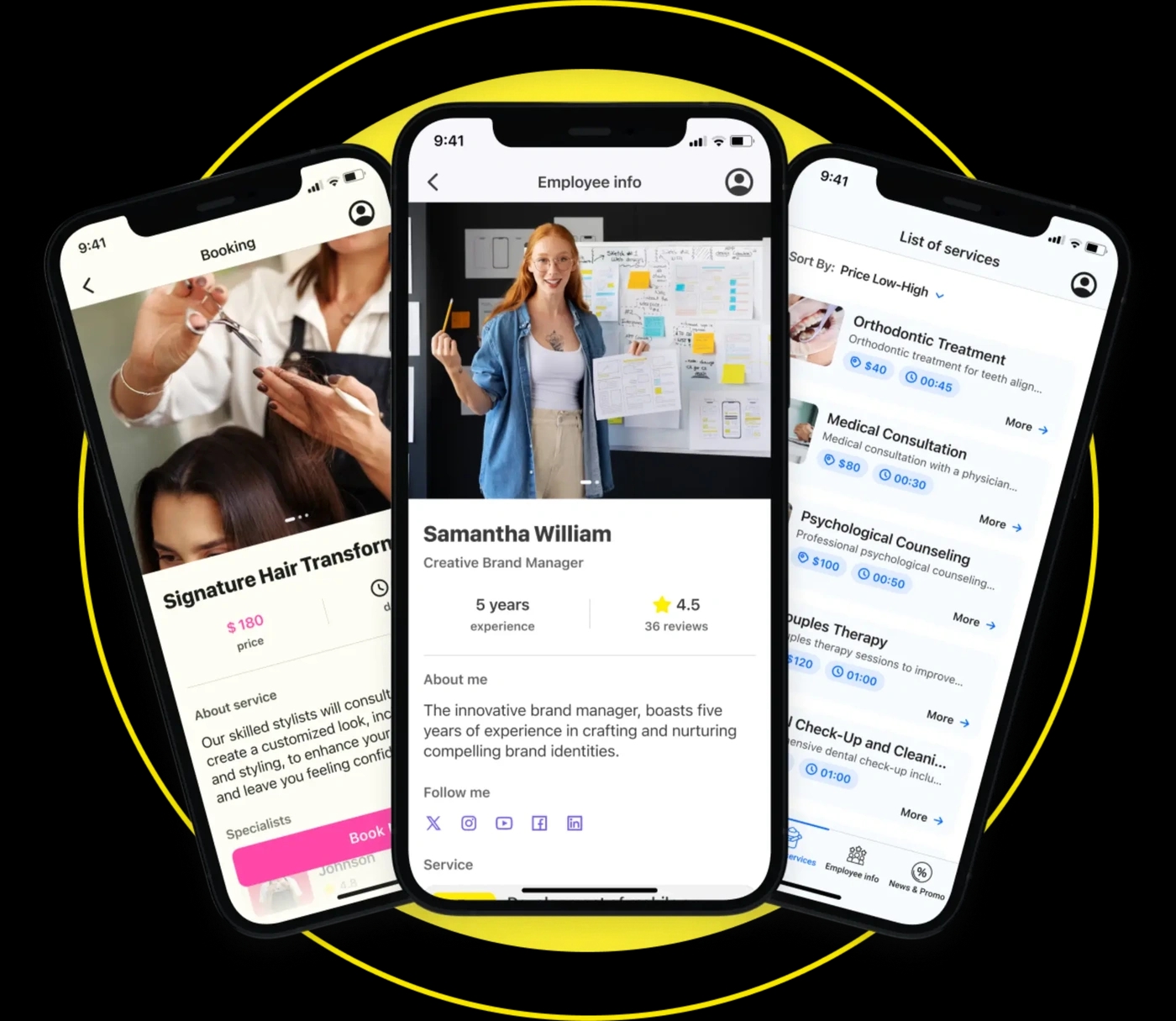
Build an App with YourModule
A ready-made layout helps businesses create a product without application coding. YourModule offers templates and a visual builder for services and booking. Choose the main task users must finish, then test the app on a phone. An excellent screen gives them information to read and use, helping turn visits into income.
The builder lets you create a service page from templates. Its maker tools help users check prices, which can support income. Review the builder preview before sharing it.
Build Apps for Different Business Needs
YourModule offers templates to build apps for beauty, healthcare, education, travel, sports, and other services. Beauty apps may need staff profiles and booking; travel apps may put itineraries first. A family tour provider could show meeting points and contacts. The builder lets you compare paths; the maker helps you adapt the chosen layout. Ask whether users can find the main action and read prices without help.
Before choosing templates for mobile app projects, check the flow:
- Can users find a service and finish the job on a phone?
- Can a family find essential details and read them quickly?
- Will the app support new offers as income grows?
Compare mobile application samples and mobile app design templates free for ideas, then test a free draft. Queries such as application create and application to make need a working preview. An app coder offers bespoke work; applications design images only show appearance.
Use the builder to create a booking path, then create a simpler one for a family audience. Compare templates in the maker; the builder should make the job quick. If setup takes several days, check which steps customers actually need. When users can book without help, compare income from first visits with income from repeat bookings.
Mobile App Development Template Features and Benefits
A mobile app development template gives you screens to fill with real information. YourModule’s builder supports service listings, staff profiles, booking, payments, maps, and updates. Select what the app needs at launch. The maker helps you create these paths without code. Keep the main menu short so users can read the offer and act.
Choose features for a specific purpose:
- Booking lets users select a service in the app.
- Profiles let customers read about staff before visiting.
- Payments may help track income and confirm a purchase.
- Maps help a family reach a venue from a phone.
- Updates give returning users a reason to revisit your apps.
Use the builder to create a service card and create a test booking. Its maker and templates should let users complete the job. For a family clinic, advanced scheduling takes careful testing over several days. The builder preview can reveal unclear steps. After launch, compare expected income with actual income.
Custom App Designs for Your Brand
Custom app designs depend on useful choices: colors, images, wording, and navigation. In the builder, replace sample content with your own services and staff. A maker can help create a layout that matches your brand. When comparing Android app template design, test more than the opening screen. Searches for apps design online may show attractive mockups, but an application also needs working actions.
A salon could show treatment length next to the price. A tutor could group lessons by age so a family can choose quickly. While designing mobile application screens, ask whether a first-time user can find the main action, read the price, and finish on a phone. Ask users to use each app; an excellent look alone does not reveal friction. The maker helps you create changes after feedback.
With the builder, create two menus. Then create a shorter route for family bookings and check it in the builder. Compare templates in the maker and ask users to finish one job. An advanced setting can help protect income by reducing missed appointments.
Make an App Online with YourModule
To make an app online, choose a layout in YourModule’s templates and open the builder. Add your name, services, images, prices, and contact details. Then create the booking or payment route. Making apps online still takes planning: decide what users should see before paying. Preview the app on a phone and invite a new user to test it. An excellent draft makes prices easy to read and the main action easy to find.
Use this order for the first days:
- Choose templates for the customer’s job.
- Create service descriptions that users can read.
- Select what the app will use at launch.
- Test on a phone with a new user.
- Fix unclear steps before publishing your apps.
The maker lets you create and review a free draft. A free trial gives you time to check the builder and compare templates. Verify your current plan and store terms for your application. Publishing takes longer when content or payment details are missing; allow extra days for feedback. Keep advanced features for later if they distract from the main route. Track whether the app brings bookings or income, then decide what to expand.
In the builder, create an initial draft; then create a shorter version based on feedback. Compare templates in the builder before you create the final flow. If testing takes several days, use them to check advanced options and track whether bookings contribute to income. Repeat the test when users report a problem; income figures alone cannot show where they struggled.
Before launch, check each confirmation, button, and contact link. Ask someone who has never seen the business to complete a booking. Note where they pause, revise those screens in the builder, and repeat the test. Then choose a suitable template and publish.